The used phone market is a bustling ecosystem, brimming with opportunities but also fraught with potential pitfalls. Whether you're hunting for a great deal or looking to responsibly rehome your old device, navigating this landscape requires a critical piece of information: the phone's unique digital fingerprint. Understanding IMEI Lookup and Validation: Tools & Processes isn't just a technicality; it's your essential toolkit for making informed decisions, preventing fraud, and ensuring a smooth transaction.
Think of it like checking a car's VIN before you buy – the IMEI (International Mobile Equipment Identity) is the mobile equivalent, holding the complete backstory of any GSM-enabled device. This guide will walk you through everything you need to know, transforming you from a casual browser into a savvy participant in the used phone market.
At a Glance: Your IMEI Essential Takeaways
- IMEI is a unique 15-digit code: It's your phone's global identifier, crucial for network services and blocking stolen devices.
- Locate your IMEI easily: Dial *#06#, check settings, behind the battery, or on the original box.
- IMEI Lookup provides deep history: Reveals model specs, network lock status, blacklist status (lost/stolen), warranty info, and more.
- Essential for buyers: Verifies legitimacy, functionality, and prevents purchasing a bricked or stolen phone.
- Crucial for sellers: Proves device history, enhances trust, and aids in competitive pricing.
- IMEI Validation is different: It checks the format of the IMEI for correctness, not its history or legitimacy.
- Always run your own lookup: Never rely solely on a seller's report.
- Missing IMEIs are rare: If encountered, proceed with extreme caution and adjust expectations.
The Digital Fingerprint of Your Phone: What is an IMEI?
At its core, the IMEI is a unique 15-digit code that acts as a global serial number for every GSM mobile phone. It’s what mobile networks use to identify valid devices trying to connect to their service. More importantly, it’s the master key they use to block stolen or lost phones, rendering them useless on any network worldwide. This makes it an incredibly powerful tool for both security and verification.
Finding your phone's IMEI is usually straightforward. The quickest way for most smartphones is to simply dial *#06# into your phone's dialer, and the number will instantly appear on your screen. Alternatively, you can typically find it in your phone's settings (often under "About Phone" or "General > About"), printed on a sticker behind the battery (if removable), or on the original packaging box your phone came in. Knowing where to find this number is the first step in unlocking its vast potential.
Beyond a Number: Why IMEI Lookup is Non-Negotiable
An IMEI lookup isn't just about getting a number; it's about retrieving a comprehensive history report for a mobile device. This report pulls information from specialized databases, offering a window into the phone's past that can save you from significant headaches and wasted money. For anyone engaging with the used phone market, these reports are an absolute game-changer, transforming risky transactions into confident exchanges.
What an IMEI Report Reveals
The sheer depth of information available through an IMEI report is remarkable. It’s far more than just "lost or stolen." Here’s a breakdown of what you can expect to uncover:
- Device Details: Confirms the phone's exact model, manufacturer, and technical specifications, ensuring the device matches its description.
- Original Network Lock Status: Tells you if the phone is locked to a specific carrier (e.g., AT&T, Verizon) or if it's unlocked and can be used with any network. This is critical for compatibility.
- Negative History (The Big One): This is perhaps the most vital check. The report will flag if the phone has been reported lost, stolen, blacklisted, or involved in fraud. A blacklisted phone won't work on any major network, making it essentially a paperweight.
- International Network Usage: Can sometimes reveal if the phone has been used across different global networks, offering insights into its travel history.
- Warranty and Purchase Dates: Provides original purchase date and remaining warranty status, if any.
- Cumulative Usage Profile: Some reports can even provide cumulative call minutes, texts, or data usage, giving you a sense of how heavily the device has been used.
- Ownership Profile: Details like the original purchase country and carrier can be invaluable.
- Service Provider History: A timeline of which networks the phone has been active on.
- Status Checks: Beyond blacklisting, this might include iCloud activation lock status for iPhones or FRP (Factory Reset Protection) status for Android devices.
- Condition Grade: Occasionally, reports from certain services might include an estimated condition grade based on recorded data.
For Buyers: Your Shield Against Deception
Imagine buying a phone only to discover it's locked to a network you don't use, or worse, that it was reported stolen and is now completely blacklisted. An IMEI lookup is your ultimate defense. It allows you to:
- Verify Functionality & Legitimacy: Confirm the phone isn't a brick, stolen, or otherwise compromised.
- Confirm Model Specifications: Ensure the seller's description (e.g., iPhone 13 Pro Max, 256GB) matches the actual device.
- Check for Blacklisting: Avoid the heartbreaking mistake of buying a phone that will never connect to a cellular network.
- Determine Carrier Lock Status: Understand if you’ll need to unlock it or if it’s ready for your SIM card.
- Understand Past Usage: Gain insights into the phone's lifespan and how it's been treated.
For Sellers: Building Trust and Maximizing Value
Sellers also benefit immensely by proactively providing an IMEI report. It’s a powerful trust-building tool that can lead to faster sales and better prices. By running a report, you can:
- Confirm Technical Specifications: Accurately list your device's exact model and features.
- Demonstrate Lifespan & Usage: Show potential buyers how the phone has been used, or reassure them of minimal usage.
- Prove Clean Status: Offer undeniable proof that your device has no negative statuses (not lost, stolen, or blacklisted).
- Determine Previous Carriers: Help buyers understand any potential unlocking needs.
- Aid in Competitive Pricing: Use the detailed history to justify your asking price, particularly if the phone has a clean bill of health and low usage.
The Step-by-Step Guide to Performing an IMEI Lookup
Performing an IMEI lookup is a straightforward process, but choosing the right tool and understanding the report are key.
- Locate the IMEI Number: As discussed, dial
*#06#, check settings, behind the battery, or on the box. Ensure you have the full 15 digits. If you're experimenting or need a placeholder, you might even consider tools that can generate random IMEI numbers for testing purposes, but for real devices, always use the actual number. - Choose a Reliable IMEI Lookup Site: Not all sites are created equal. While many offer basic checks for free, comprehensive reports often come with a small fee. Here are some examples from our ground research:
- CheckMEND: Known for robust details, particularly useful in the UK and Europe.
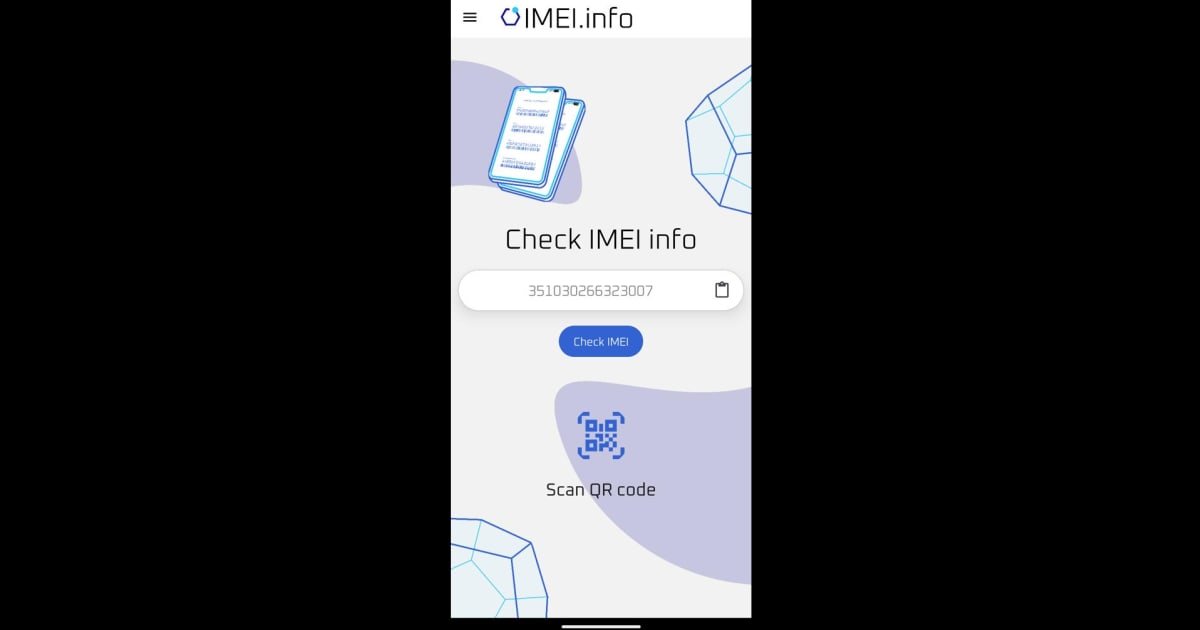
- IMEI.info: Offers quick validation and blacklisting checks, often with free basic reports.
- FoneFinder: Useful for US and international carrier usage details.
When selecting a site, look for those with good reviews, clear privacy policies, and a track record of accuracy. For critical purchases, a paid report from a reputable provider is usually worth the small investment.
- Enter the 15-Digit Code: Carefully type or paste the IMEI number into the designated field on the lookup site. Double-check for any typos, as even a single incorrect digit will yield invalid results.
- Analyze the Report: Once the report is generated, take your time to review it thoroughly.
- Device Details: Does the model and specifications match what you expect or what the seller claimed?
- Ownership Profile: Is the original purchase country or carrier relevant to your needs?
- Usage Profile: Any red flags in cumulative usage if that's a concern?
- Service Provider History: Does this align with any known history?
- Status Checks: Crucially, look for "clean" status, no reports of being lost/stolen, and confirm the network lock status. If it's blacklisted, walk away. If it's network-locked and you need it unlocked, factor that into your decision.
IMEI Validation vs. IMEI Lookup: Understanding the Difference
These two terms, while related to the IMEI, serve entirely different purposes. Confusing them can lead to a false sense of security.
What is an IMEI Validator?
An IMEI Validator is a tool designed to check the format of an IMEI number, not its history or legitimacy. Its primary function is to confirm that a 15-digit IMEI adheres to the correct structural pattern – meaning it has exactly 15 digits and follows the mathematical algorithm (Luhn algorithm) used for IMEI numbers. It's a quick, automated way to ensure you haven't mistyped a number or that a given number is structurally plausible as an IMEI.
Why is validating the format important?
- Prevents Input Errors: Saves time by instantly flagging typos or incorrect number lengths.
- Ensures Compatibility: An improperly formatted IMEI can cause compatibility issues with cellular networks, potentially leading to limited or no network access for the device.
- Maintains Accurate Records: For businesses or individuals managing multiple devices, accurate IMEI formats are crucial for inventory and asset management.
- Compliance: Helps ensure adherence to industry standards and regulations set by network operators and manufacturers.
In essence, an IMEI validator tells you if a number looks like a real IMEI, while an IMEI lookup tells you if that specific, properly formatted IMEI is connected to a stolen phone, is network-locked, or has other issues. Both are useful, but they answer different questions.
Navigating the Used Phone Market: Essential Safeguards
The peace of mind that comes from proper due diligence is priceless. Here’s how buyers and sellers can protect themselves and facilitate successful transactions.
For Buyers: Avoiding the Pitfalls of Fraud
The used phone market, especially peer-to-peer sales, can be a minefield of misrepresented devices or outright scams. Your vigilance is your best defense:
- Always Run Your Own Independent IMEI Lookup: This cannot be stressed enough. Never trust a seller-provided report, screenshot, or verbal confirmation. While most sellers are honest, a fraudulent one can easily fake a report. Invest the small amount of time and money to get your own report directly from a trusted service.
- Meet Locally and Verify Functionality: If possible, arrange to meet the seller in a public, safe location. Take your time to thoroughly inspect the phone. Test basic functions: make a call, send a text, connect to Wi-Fi, test the camera, speakers, and charging port. If the phone is supposed to be unlocked, insert your own SIM card to confirm it connects to your network.
- Pay Securely with Buyer Protection: Avoid cash transactions unless you are absolutely certain of the device's legitimacy and have thoroughly tested it. Use payment methods that offer buyer protection, like PayPal Goods & Services or credit cards, for online purchases. This provides a recourse if the device turns out to be faulty or misrepresented.
For Sellers: Building Trust and Maximizing Value
As a seller, presenting a transparent and well-prepared device can significantly enhance its appeal and value. Proactive steps build buyer confidence.
- Perform a Complete Factory Reset and Remove All Accounts: Before listing, always perform a full factory reset. This wipes all your personal data and ensures the device is ready for a new owner. Crucially, remove any associated accounts (Google, Apple ID, Samsung, etc.). An iPhone with an active iCloud lock or an Android with FRP enabled will be unusable to a new owner.
- Gather Accessories and Original Packaging: If you still have the original box, charger, cables, or even a case, include them. Original packaging adds perceived value and professionalism.
- Clean the Phone Thoroughly: A clean phone makes a much better first impression. Wipe down the screen, back, and ports. Remove any dust, grime, or fingerprints.
- Run an IMEI Lookup and Provide the Report: Be transparent. Run your own comprehensive IMEI lookup and include the report (or key details from it) in your listing. This pre-empts buyer concerns and showcases your honesty. Highlighting a "clean" status will be a major selling point.
- Price Competitively and Realistically: Research similar devices on marketplaces to understand current market values. Factor in the phone's condition, age, storage, and any included accessories. A clean IMEI report allows you to price with confidence.
- Consider Offering Free Returns: For online sales, offering a short return window (e.g., 3-7 days) can significantly build buyer trust, especially for higher-value devices. This demonstrates your confidence in the device's condition.
Handling the Unexpected: Missing or Problematic IMEIs
While IMEI lookup and validation are usually straightforward, sometimes you might encounter unusual situations.
When an IMEI is Missing (Rare Cases)
In very rare instances, you might find a phone without a visible or retrievable IMEI (e.g., due to severe hardware damage, unofficial repairs, or, in extreme cases, tampering with the device's identity). If you are a seller in this situation:
- Note the Missing IMEI Immediately: Be transparent in your listing. Do not try to hide it.
- Provide Detailed Photos: Document the phone's condition thoroughly, including the areas where an IMEI would typically be found.
- List Original Purchase Date, Location, and Carrier Details: Provide as much verifiable history as possible to compensate for the missing IMEI.
- Check for Other Unique Serial Numbers: Some phones might have other unique identifiers. While not as universally useful as an IMEI, they can offer some verification.
- Price the Phone Accordingly: A phone with a missing IMEI will have significantly diminished value and will be extremely difficult to sell or use on a cellular network. Buyers should be wary, and sellers should expect a much lower price, typically suitable only for parts.
Understanding Blacklisted IMEIs
A blacklisted IMEI is a critical issue that any buyer must avoid. When a phone is reported lost, stolen, or involved in insurance fraud, its IMEI is added to a global database of blocked devices.
What does blacklisting mean for the phone?
A blacklisted phone will be unable to connect to any major cellular network in the country (and often globally) where it was reported. It cannot make calls, send texts, or use mobile data. It essentially becomes a Wi-Fi-only device, rendering it largely useless as a primary smartphone. Attempting to activate or use a blacklisted phone can also lead to legal complications for the new owner, as it implies handling stolen property. Always, always check for blacklisting before committing to a purchase.
Beyond the Transaction: Ongoing Importance of IMEI Data
The utility of IMEI data extends far beyond the point of sale. It plays a continuous role in various aspects of mobile device ownership and management:
- Warranty Claims: When seeking repairs or replacements under warranty, the manufacturer will almost always require the device's IMEI to verify its purchase date and warranty status.
- Insurance Claims: If your phone is lost or stolen, your insurance provider will need the IMEI to process your claim and, importantly, to report the device as lost/stolen to the blacklisting databases.
- Device Management for Businesses: Companies managing fleets of mobile devices rely on IMEI numbers for inventory tracking, deployment, security policies, and lifecycle management.
- Tracking Stolen Devices: While not a direct tracking tool for individuals, the global blacklisting network powered by IMEIs is a crucial mechanism in the fight against phone theft, making stolen devices less appealing to criminals.
Understanding these broader applications reinforces just how fundamental the IMEI is to the entire mobile ecosystem. It's not just a number on a sticker; it's a vital identifier for a device's entire life cycle.
Your Digital Due Diligence: A Final Word
In a world where trust can be fleeting, especially in online marketplaces, knowledge truly is power. The IMEI Lookup and Validation: Tools & Processes discussed here are more than just technical steps; they are critical safeguards. They empower you, whether you’re a buyer or a seller, to conduct transactions with confidence, avoid costly mistakes, and ensure that every mobile device has a transparent and verifiable history.
Don't skip this crucial step. Arm yourself with the facts, make informed decisions, and ensure your next used phone experience is nothing short of excellent. Your digital due diligence isn't an option; it's a necessity.